
What Is DMARC? Conformance, Alignment, and Policies
November 28, 2026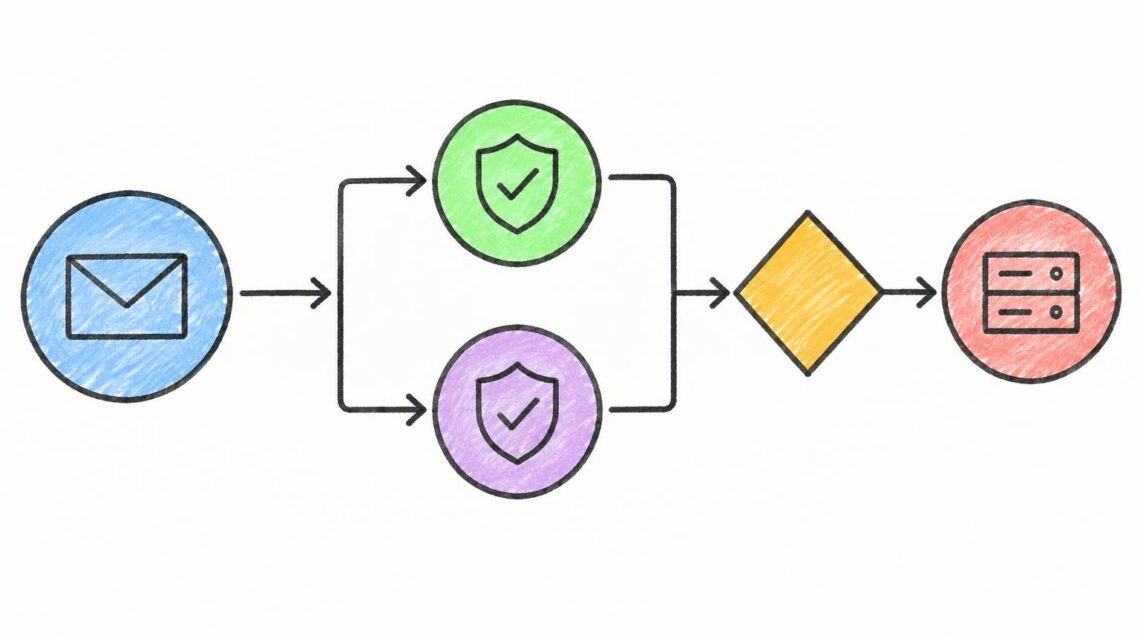
What Is DMARC? Email Authentication, Policies, and Reports
DMARC is an email authentication, policy, and reporting protocol that lets receiving mail systems assess messages claiming to come from your domain. It helps receivers distinguish legitimate mail from spoofed attempts and set handling rules for messages that fail checks. By connecting authentication results to the visible sender, it gives organizations a way to reduce impersonation risks while providing feedback about how their outbound mail is evaluated. This matters because sender details can be forged, and legitimate messages may fail checks after routing or configuration changes. A clear policy helps protect trust in mail sent under your organization’s name.
Key takeaways:
- Start with p=none, review reports, and fix legitimate senders’ authentication failures before enforcing a stricter policy.
- DMARC passes when either SPF or DKIM passes and aligns with the visible From domain; both do not have to pass.
- Use quarantine or reject to ask receivers to handle failing messages more strictly, but misconfiguration can block legitimate mail.
- DMARC reports reveal sending sources and authentication results, but do not provide a simple inbox-delivery verdict.
- DMARC helps reduce spoofing, but it does not protect against lookalike domains or compromised legitimate accounts.
The role DMARC plays in email security
DMARC (Domain-based Message Authentication, Reporting, and Conformance) is an email authentication protocol that lets a domain owner publish instructions for handling messages that fail authentication and receive reports about those messages. It helps receivers assess whether an email claiming to come from a domain is legitimate, giving domain owners a way to reduce spoofing and monitor misuse of their identity.
It builds on SPF and DKIM rather than replacing either one: those mechanisms check aspects of a message’s sending source and signature, while DMARC adds a policy layer and a reporting channel. It is not encryption, a spam filter, or a guarantee that a message is safe or will reach an inbox. Its value is in helping receiving systems apply a domain owner’s stated preference consistently and giving that owner visibility into how the domain is used in email.
How does DMARC work to evaluate a message
How SPF and DKIM fit into the decision
DMARC uses SPF and DKIM authentication results to evaluate a message against the domain’s policy.
| Method | What it checks | Role | Limit |
|---|---|---|---|
| SPF | Whether the sending server is authorized for the envelope-sender domain | Provides a server authorization result | Forwarding can disrupt the check, and it does not authenticate the visible From address by itself |
| DKIM | Whether a valid signature matches the message and signing domain | Provides a message-integrity and signing-domain result | A valid signature alone does not prove the visible sender is authorized |
| DMARC | Whether SPF and/or DKIM passes with alignment to the visible From domain | Applies the published handling policy and enables reporting | It relies on SPF or DKIM passing and cannot guarantee inbox delivery |
Use SPF and DKIM together for complementary checks, then add DMARC to connect their results to the visible sender and specify receiver handling.
Why alignment matters to the visible sender
DMARC passes when either SPF or DKIM passes and its authenticated domain aligns with the domain shown in the message’s visible From address. SPF checks the domain used for the message’s return path, while DKIM checks the domain identified in the signing domain. A pass from either mechanism is enough; both do not have to pass.
This link between authentication and alignment matters because a message can pass SPF or DKIM for a domain unrelated to the sender people see. For example, a sender could authenticate a system they control but place another organization’s address in the From field. Alignment requires the authenticated domain to match, or meet the configured relationship to, that visible domain. This lets receivers assess whether email from a specific domain is genuinely associated with it, rather than relying on a passing authentication result alone. If neither SPF nor DKIM passes alignment, the message fails the DMARC evaluation.
What the three DMARC policy options tell receivers
The three DMARC policy options are none, quarantine, and reject; each tells receiving mail systems how to handle messages that fail authentication.
- None: Receivers need not apply special treatment to failing mail, so it can still be delivered normally. This option lets a domain receive feedback reports while its owner observes authentication results.
- Quarantine: Receivers treat messages that fail DMARC as suspicious, often placing them in a junk or spam folder rather than the inbox. This reduces exposure while allowing recipients to access mail that may be legitimate.
- Reject: Receivers block unqualified mail from reaching the recipient. This is the strictest setting and helps prevent forged messages from being delivered, but legitimate mail can also be blocked if its authentication is misconfigured.
The domain’s DNS record and the feedback it generates
The key parts of a DMARC record
A DMARC record is a DNS entry a domain owner publishes to tell mail systems how to validate messages, handle failures, and send feedback. A typical entry uses semicolon-separated tags, each with a value.
- Version: v=DMARC1 identifies the format, allowing systems to recognize and interpret the entry correctly.
- Policy: p=none, p=quarantine, or p=reject sets the requested treatment for messages that fail checks, from monitoring to stronger enforcement.
- Aggregate reporting destination: rua=mailto:reports@example.com names an email address for summarized feedback, helping the owner review authentication results across messages.
- Forensic reporting destination: ruf=mailto:forensics@example.com can specify where failure details are sent, giving the owner more specific diagnostic information when supported by the receiving email server.
What a DMARC report reveals
A DMARC report is feedback from receiving mail systems about messages that use a sender’s domain, including whether they pass or fail DMARC evaluation. A domain owner can request XML reports through a DMARC record, with receivers sending them to the reporting address specified there. Aggregate reports are typically delivered once per day.
These files summarize email traffic using the domain, such as message volumes, sending sources, and authentication results. This can help identify legitimate services that need configuration changes, reveal unexpected systems sending on the organization’s behalf, and flag possible domain-name abuse. Because receivers can report both passing and failing messages, the feedback helps owners assess authentication conformance across ordinary traffic as well as suspicious activity. Reports describe patterns rather than providing a simple inbox-delivery verdict, so they are most useful for understanding how messages move through mail systems and where authentication needs attention.
Is this protection necessary for your domain?
For most organizations that send email, DMARC is a worthwhile safeguard: it helps deter spoofing and unauthorized use of their sending domain, while giving them visibility into mail sent in their name. Receivers can use its policy to handle messages that fail authentication checks, making it harder for attackers to pass off forged messages as legitimate. Reports can also reveal unauthorized sending sources or configuration problems, so teams can address them and strengthen email security.
However, this protection is not a complete defense. It does not stop messages sent from lookalike domains, nor does it prove that an authenticated sender or message is trustworthy. An attacker using a compromised legitimate account may still pass authentication and send a fraudulent email, including one used for business email compromise. DMARC can therefore reduce a significant route for impersonation and improve oversight, but it should complement other safeguards such as account protection, filtering, and user awareness.
A careful path to publishing an Email policy
Set up DMARC by identifying every service that sends mail for your domain, confirming SPF and DKIM, publishing a monitoring policy, correcting failures, and then moving to enforcement.
- Inventory senders. List company systems, mailing platforms, and other email senders; confirm each is authorized to send using your organization’s address.
- Configure SPF and DKIM. Set an SPF DNS record that authorizes approved sending systems, and enable DKIM signing with a published public key. Test messages to verify the checks pass.
- Start in monitoring mode. Publish a dmarc record with p=none and a reporting address. This requests reports without asking receivers to block or quarantine messages.
- Review reports and fix failures. Identify sources that fail authentication or alignment. Correct SPF authorization or DKIM signing, including for legitimate email from third-party services, then monitor again to confirm the fixes work.
- Enforce gradually. Once approved senders pass consistently, change the policy to p=quarantine, then consider p=reject. Check reports after each change and make sure expected mail continues to authenticate.
Questions domain owners often ask
Why do I keep getting DMARC email reports?
You keep receiving DMARC emails because your DNS record asks participating receivers to send reports to the address listed in its rua tag. These aggregate reports summarize messages they received that used your sending domain, including authentication and alignment results; receiving a report does not mean every message failed or was rejected.
Reports are usually formatted as XML for software to process. If the reporting address belongs to you, the messages are expected feedback generated by the policy you published.
Does DMARC guarantee that email reaches the inbox?
No, DMARC does not guarantee that a message reaches the inbox. It tells receiving mail systems how to handle messages that fail authentication checks, according to the policy published by the sender. Passing those checks does not give authenticated mail a delivery advantage or guarantee acceptance.
Receivers make separate decisions based on factors such as sender reputation, message content, recipient settings, and spam filtering. A message can pass DMARC and still be rejected, quarantined, or placed in spam. Conversely, a failing message may be treated differently depending on the published policy and the receiver’s practices. DMARC can support email deliverability by limiting some forms of spoofing, but it cannot control the final placement of every message.
The practical takeaway
Start by monitoring legitimate mail sources before enforcing a stricter DMARC policy. Publish a monitoring policy, commonly p=none, and review aggregate reports to identify sending services, their IP addresses, and SPF or DKIM alignment results.
Inventory every authorized sender, including marketing platforms, support tools, and internal systems. Correct authentication or alignment failures, then observe reports across normal sending cycles to catch occasional sources. Move to quarantine gradually and assess the effect before considering rejection. Keep monitoring after each change so newly added services do not become a delivery problem.